
1
Download ShowdownAI
In the Discord, open #downloads and download the latest ShowdownAI-v…zip. You need the ShowdownAI Access role to see this channel.
ShowdownAI plays Showdown for you on your PC emulator. Queue your brawlers, set a trophy target and press Start. It switches brawlers on its own when each target is reached.
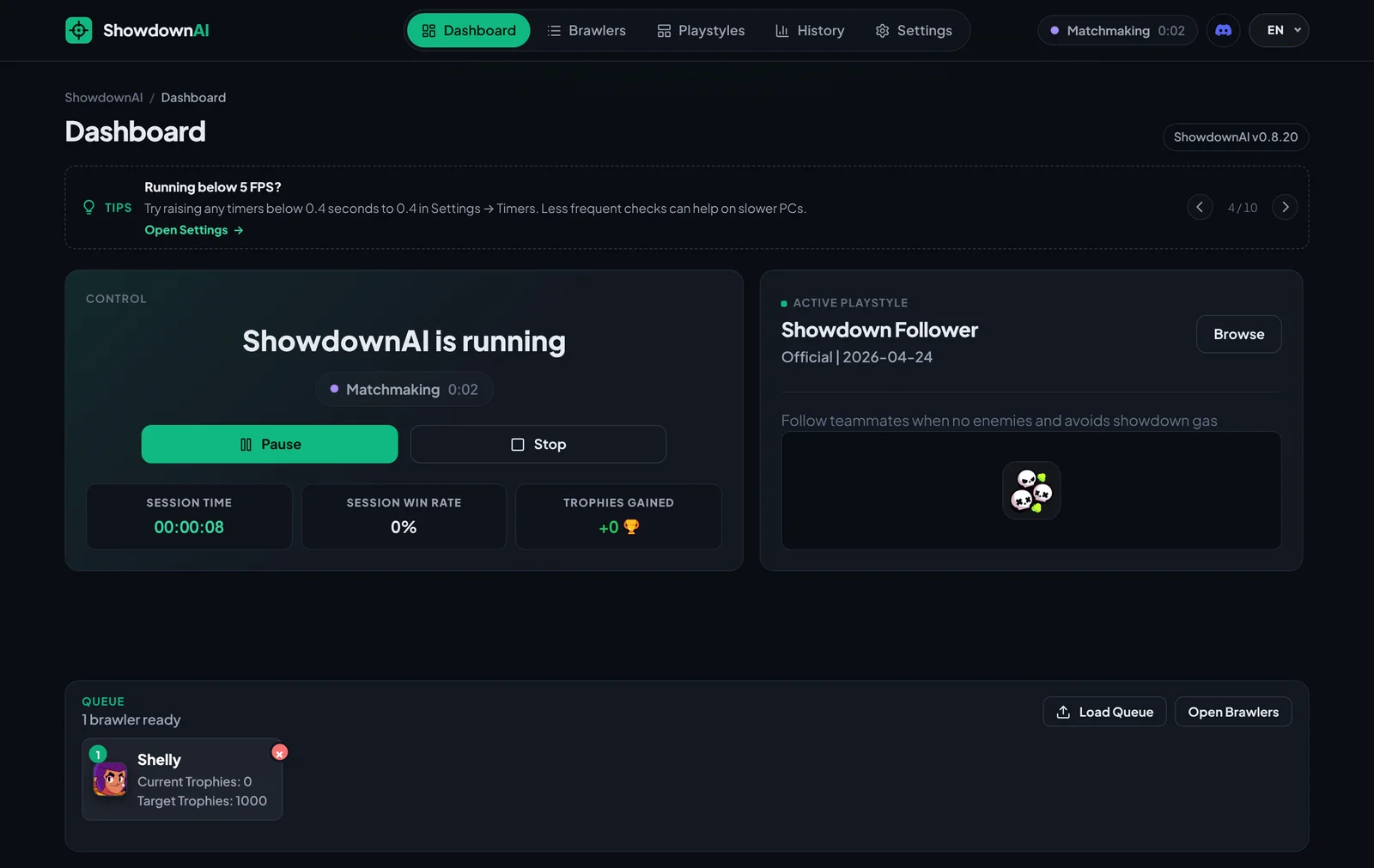
A clean desktop app that handles the grind while you get on with your day.
Reads the game screen in real time, finds enemies, dodges the gas and taps for you. Hands off from lobby to match and back.
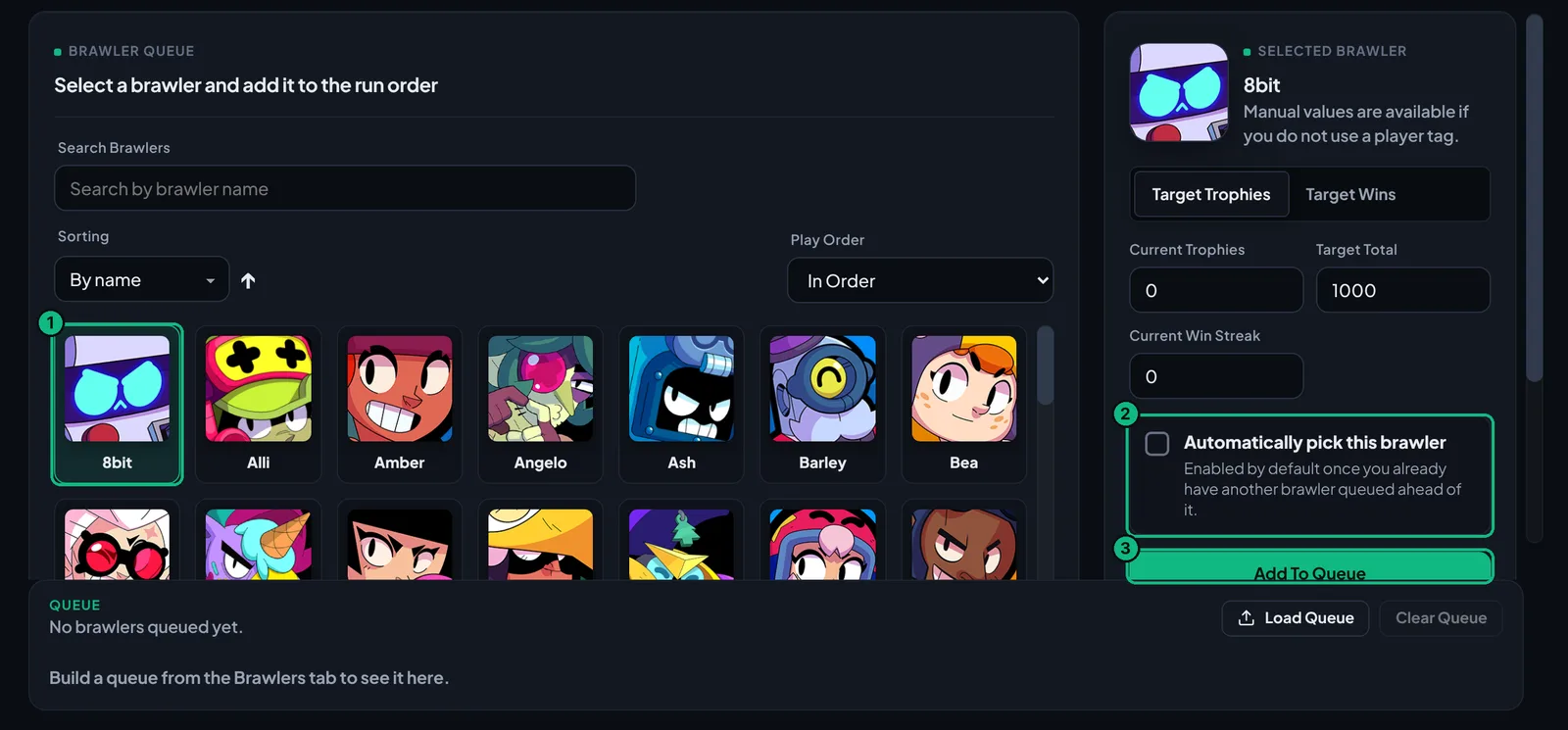
Line up as many brawlers as you like, each with its own trophy or win target. Auto Pick selects the next one in game.
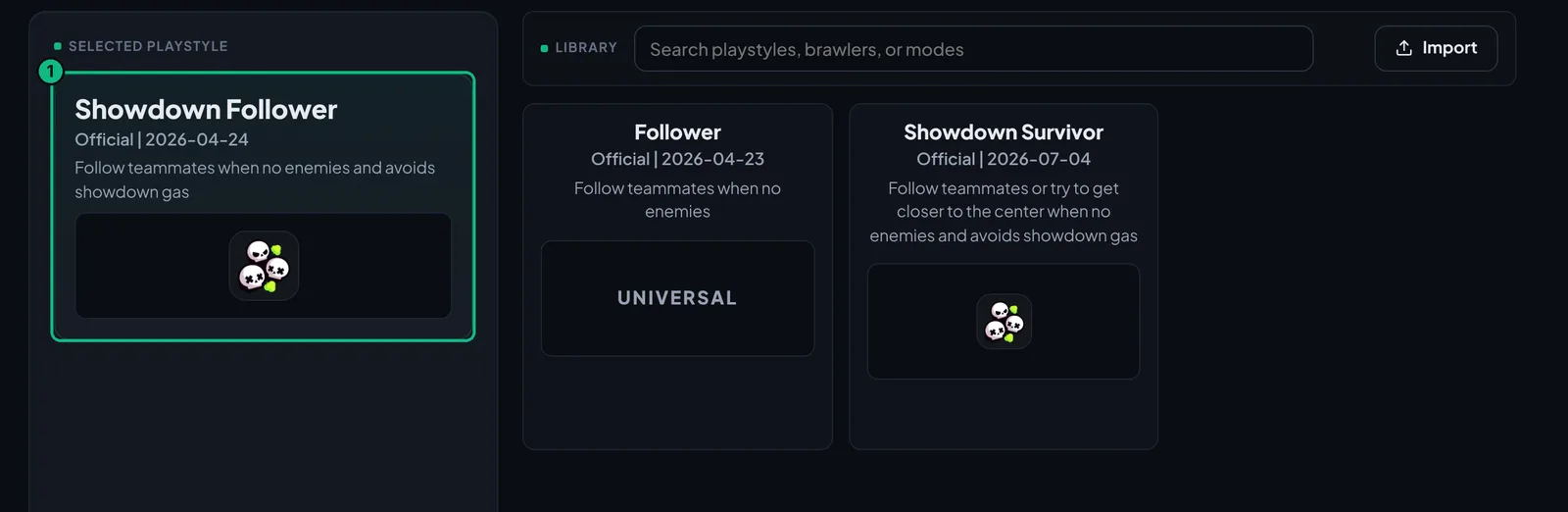
Showdown Follower sticks with teammates and stays out of the gas. Switch to Showdown Survivor or import your own.
See exactly what it's doing: detecting the emulator, in lobby, matchmaking or in a match, plus session time and win rate.
Uses any DirectX 12 graphics card (NVIDIA, AMD or Intel) and falls back to the CPU on machines without one.
ShowdownAI is a separate program. It only looks at the screen and sends taps. It never touches or modifies game files.
That's also where you get updates and help if something goes wrong.
Join the ShowdownAI Discord and verify with the button in #welcome.
Downloads open up once you have the ShowdownAI Access role.
Grab the latest zip from #downloads and follow the guide below.
Downloads, keys, the setup guide and support.
Follow the steps in order. The green numbers in each picture match the list next to it.
In the Discord, open #downloads and download the latest ShowdownAI-v…zip. You need the ShowdownAI Access role to see this channel.
Right-click the zip in your Downloads folder and choose Extract All, then open the new ShowdownAI folder. Don't run it from inside the zip.
Double-click Start ShowdownAI.bat. If Python 3.11 isn't installed, it offers to install it for you. The first launch then installs everything ShowdownAI needs, which takes a few minutes. Later launches are quick.
/key, paste your token and send. The bot replies with your key. Paste it into the License key box.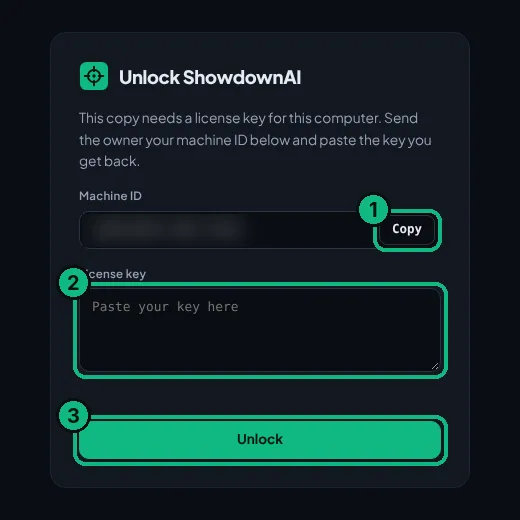
/key again with the new token.Install MuMu Player (recommended, it gives the best results), then install and open Brawl Stars inside it. Check these settings:
ShowdownAI reads the game screen, so the game itself must be in English. The ShowdownAI app can be in any language.
Showdown Follower is selected by default and is the best place to start. To change it, open Playstyles and click another one, or press Import to add your own.
With Brawl Stars on the main lobby screen, go to the Dashboard and press Start.
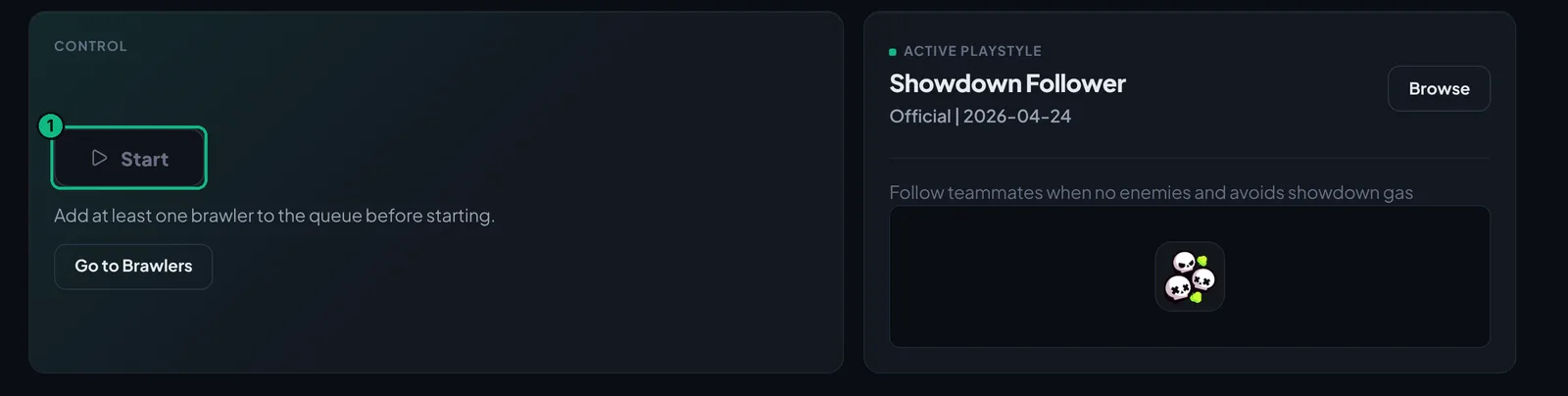
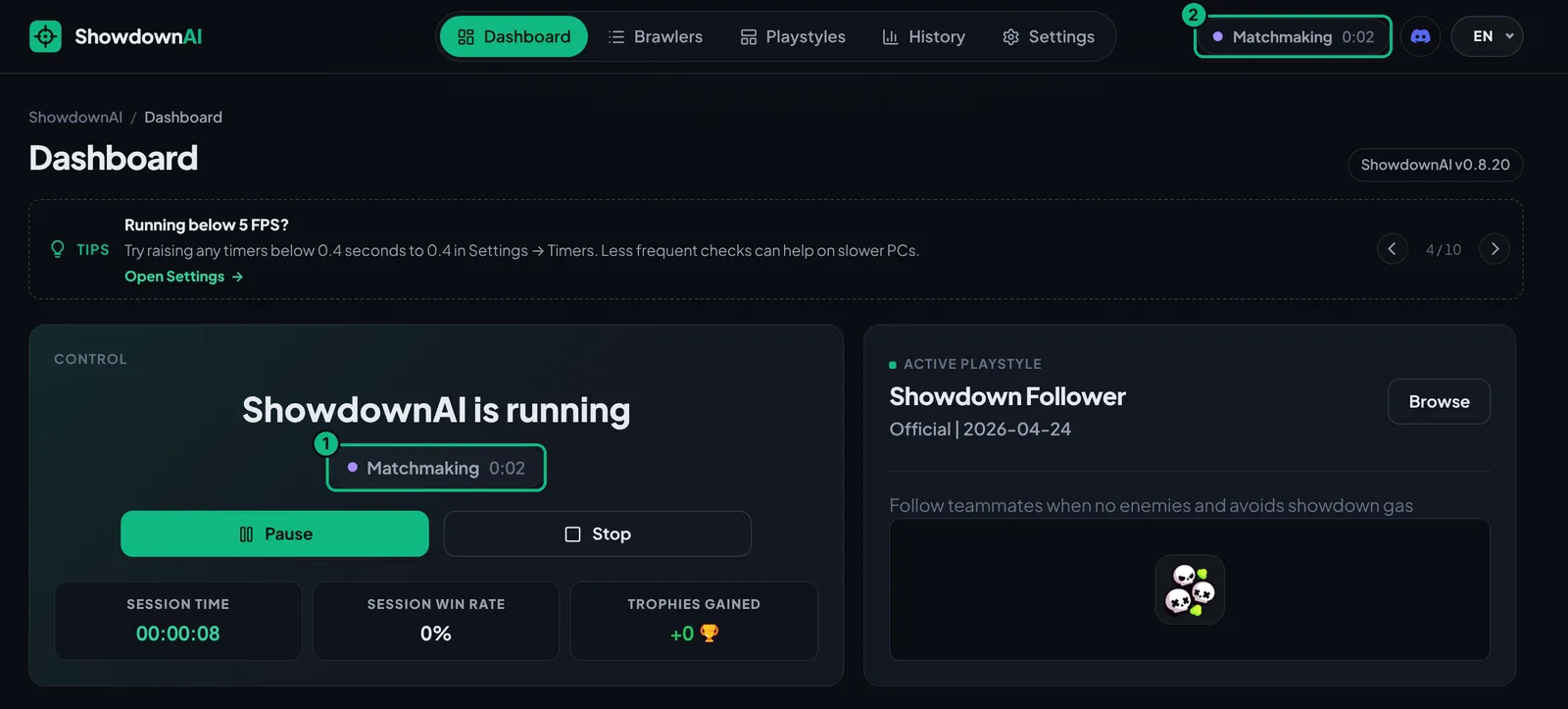
The status shows what it's doing: Detecting ADB, In lobby, Matchmaking and In match. You can Pause or Stop at any time.
ShowdownAI is an external program. It only reads the screen and sends taps to the emulator, and it never modifies game files. Like any automation tool, using it is at your own risk.
In #downloads on our Discord. You'll need the ShowdownAI Access role to see that channel.
Keys are tied to one PC. Make sure you copied the token from the same PC you're unlocking, and paste the whole key without extra spaces. If you changed PCs, run /key again with the new token.
Close ShowdownAI. Open Task Manager → Details and end every adb.exe. Then start ShowdownAI again with Brawl Stars already open in MuMu.
Also check that Settings → Emulator Port is set to 0 so it detects the emulator on its own.
No. Keep the MuMu window open, because ShowdownAI needs to see the game. You can put other windows on top of it and use your PC as normal.
MuMu Player gives the best performance and is what we test with. If ShowdownAI walks into the gas on another emulator, switching to MuMu usually fixes it.
In Settings → Timers, raise any timer below 0.4 seconds to 0.4. Less frequent checks help on slower PCs. Closing other heavy programs helps too.
Run Start ShowdownAI.bat again and let it install Python 3.11. Or install Python 3.11.9 yourself and tick "Add python.exe to PATH" in the installer.
Post in #bug-reports on Discord with a screenshot, or ask in #help.
Join the Discord to download ShowdownAI, get your key and talk to other players.